
6E Club Account
Your 6E Club account page holds your profile, security settings, VIP level and customer service.
Ten minutes here on day one prevents most problems later.
6E CLUB ACCOUNT
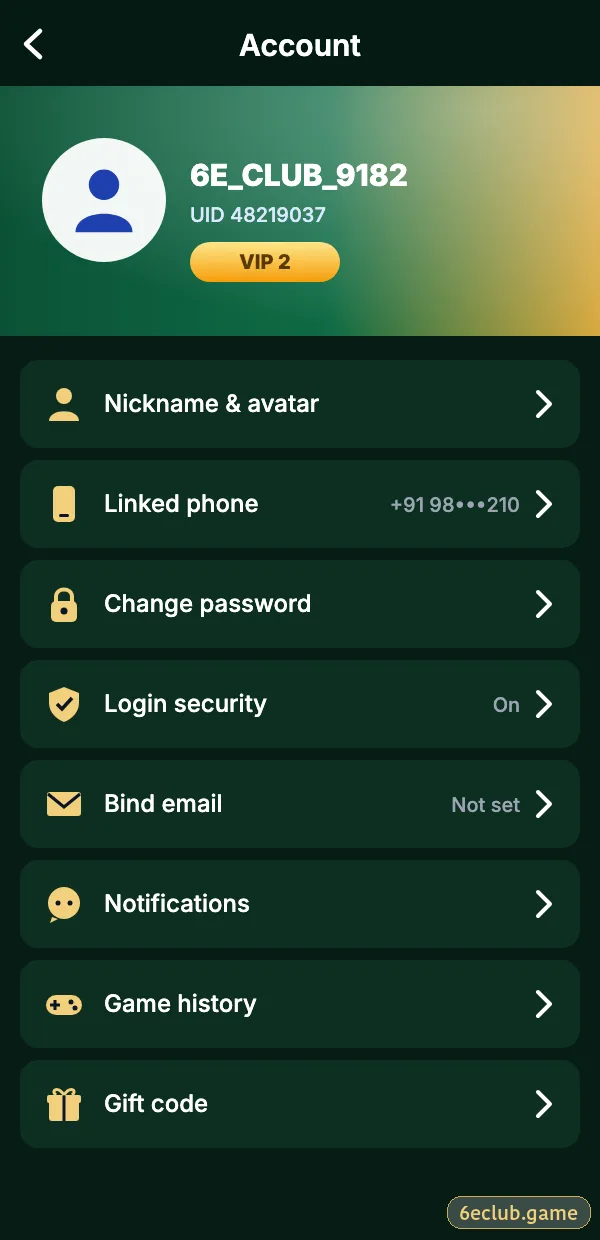
6E Club account page
UID, nickname, VIP level, wallet shortcuts and settings.
On this page
What Is on the Account Page
| Item | Purpose |
|---|---|
| UID | Your account number for support |
| Nickname | Display name – change the default |
| VIP level | Activity level and perks |
| Gift | Gift code box |
| Settings | Password, email, alerts |
| Customer service | Live chat |
Settings to Change Today
- Change the nickname so it does not show your number.
- Bind a backup email.
- Turn on login alerts.
- Set a separate withdrawal password.
- Review signed-in devices.
Bank and UPI Details
Saved under Wallet → Withdraw. Only accounts in your own name are accepted. See 6E Club withdrawal.
If Someone Else Accessed Your Account
- Reset the password.
- Change the withdrawal password.
- Log out of all devices.
- Contact customer care with your UID.
Closing or Pausing an Account
Ask customer care to close or pause it. Uninstalling the app does not close the account.
Start with 6E Club the safe way
Use the official 6E Club app or website – one 6E Club account works on every device.
Frequently asked questions
Where is my UID?
At the top of the Account page.
Can I have two accounts?
No.
How do I close my account?
Through customer care.