
6E Club Withdrawal: Add Bank Account and Get Paid
A 6E Club withdrawal goes to a bank account, UPI ID or USDT address in your own name.
Set it up once and later requests are straightforward.
6E CLUB WITHDRAW
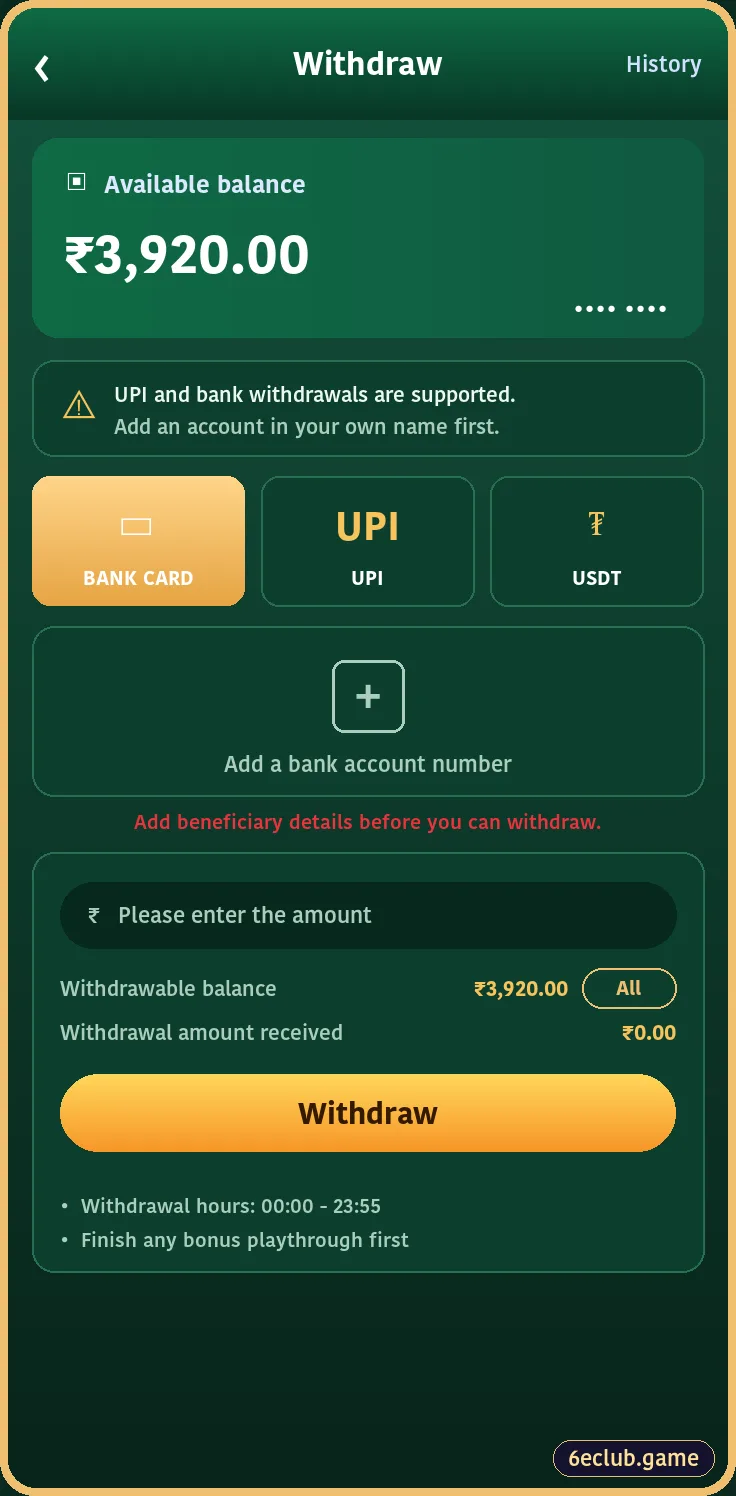
6E Club withdrawal page
Available balance, method, amount box and rules.
On this page
Step 1: Add a Bank Account
6E CLUB ADD BANK

Add bank account in 6E Club
Bank, account holder name, account number, phone and IFSC.
- Open Wallet → Withdraw → Add bank account.
- Choose your bank.
- Type the account holder name exactly as the bank shows it.
- Enter account number and IFSC.
- Add your phone number and tap Save.
Step 2: Request a Withdrawal
- Open Wallet → Withdraw.
- Choose bank card, UPI or USDT.
- Enter an amount within your withdrawable balance.
- Confirm with your withdrawal password.
How Long Does It Take?
| Case | Typical time |
|---|---|
| Regular request | A few hours |
| First to a new account | Up to 24 hours |
| Weekends and holidays | Can be slower |
Why a Withdrawal Is Held
| Reason | Fix |
|---|---|
| Bonus playthrough unfinished | Complete the wagering shown in Activity |
| Name mismatch | Use an account in your own name |
| Wrong IFSC or UPI ID | Correct and resubmit |
| Daily limit reached | Try again tomorrow |
Good Habits
- Make a small first withdrawal early to test the route.
- Keep screenshots and bank SMS for each request.
- Never share your withdrawal password.
- Contact support with the order number if a request stays pending over a day.
Start with 6E Club the safe way
Use the official 6E Club app or website – one 6E Club account works on every device.
Frequently asked questions
Why is my 6E Club withdrawal pending?
Usually bonus playthrough or bank details being checked.
Can I withdraw to someone else’s account?
No.